
LMS
Tessello is the best-of-breed next gen LMS, designed and developed by Brightwave’s industry-leading learning experts.

Together we deliver transformative learning solutions that enhance the performance of your organisation.
Brightwave’s solutions are used in Finance, Manufacturing and many other sectors.
International House Queens Road
BRIGHTON
E Sussex
BN1 3XE
United Kingdom
Tel: 01273827676
www.tessello.co.uk

LMS
aNewSpring offers training companies a learning platform which enables them to create, curate and deliver blended learning that adapts to each individual. Since 2003, aNewSpring has been committed to helping companies with a learning platform that inspires innovation and thus helps create a bright future.

Today, over 400 customers rely on our platform to provide professionals a learning journey that helps them learn smarter and perform better.
Westblaak 1803012 KN
Rotterdam
3012 KN
Netherlands
Tel: +44 330 8080205
www.anewspring.com

LMS
Administrate is the complete training management system, delivered from the cloud. Manage learners, increase course bookings, and deliver better training.

We’re a dedicated team that’s passionate about making lives better through software. We spend most of our day talking to, developing for, and thinking about training providers (our customers) and their students. Our Software helps training companies and training departments manage their entire business.
3 Lady Lawson Street
Edinburgh, EH3 9DR
Scotland
Tel: +44 131 460 7350
www.getadministrate.com

LMS
Deliver training anytime, anywhere with our easy to use learning management system, pre-built courses, and e-learning solutions.

Litmos by CallidusCloud (now part of SAP) is the fastest growing learning technology company in the world, supporting more than 4,000,000 users in 130+ countries and 24 languages.
Litmos prides itself on a customer-centric approach and continual innovation in the marketplace. Headquartered in Silicon Valley and backed by public company CallidusCloud (NASDAQ: CALD), Litmos is still run with the nimbleness of a start-up.
Litmos is focused on executing on its customers’ vision that learning technologies should be able to be used, consumed and deployed by anyone in the organization and on any device. Litmos’s leadership team has a combined 140 years experience across the technology and learning domains.
4140 Dublin Boulevard
Dublin,
CA 94568
+1 (925) 251-2220
www.litmos.com

LMS
This e-learning management system offers robust features that can be customized to fit your needs.

Since 2009 Accord has provided a simple, smart and affordable learning management solution to millions of users around the world. Headquartered in Boise, Idaho in the US, they aim to provide a cost effective enterprise class learning management system to organizations of all sizes, regardless of their workforce distribution or types of learners.
This LMS has been used for training in Finance, Healthcare and Manufacturing among other sectors.
1775 W. State St.
Suite 371
Boise ID 83702
USA
www.accordlms.com

LMS
Abara LMS is a true mobile-first Learning Management System. An online training software that offers a hassle-free learning experience for Corporates, Training and eLearning Companies.

Employee training and learning is an integral part of any organization’s growth. We too firmly believe in learning. In order to develop a system, which offers knowledge in the easiest way possible, we created Abara.
Kemp House,
152 City Road,
London EC1V 2NX
Tel: +44.0203.701.9567
www.abaralms.com

Reviews
A review of Enable LMS from David Patterson of Learning Light Ltd – ‘The User’s Learning Management System‘.
At Learning Light we have long viewed the Enable LMS from Virtual College to be one of the most evolved learning management systems in the UK market and beyond.
Enable is a well-established LMS, and its first version has always been feature-rich and functionally excellent, enabling learners to learn effectively, and organisations to manage training and learning and development.
Over the past 2 years, Virtual College has completely re-designed Enable in order to create a new, modern LMS. Enable v.2 builds upon the past success of Enable v.1, and the result is a stand-out learning management system which provides users with an experience that is both functionally and experientially outstanding.
User Experience
As a student of Human Computer Interaction I have long held an interest in what is now referred to as the user experience (UX), or user interface (UI), in learning and from this perspective the new Enable is very impressive indeed.
User Experience refers to two key in an LMS: appearance and usability. These two features can certainly be broken down in to more specific categories, but appearance and usability are the two features which define the LMS experience for most users. We have seen learning management systems become increasingly function and feature-rich but many continue to struggle with User Experience.
Virtual College has addressed this issue with an attractive and simple design, coupled with intuitive navigation and layout, to provide an excellent user experience in addition to the already comprehensive feature-set.
Appearance
Virtual College made a brave statement at Learning Technologies 2016 in launching and demonstrating their ‘third generation’ LMS and I took the opportunity to get a look at their new LMS on their very busy stand. Since then I have had comprehensive access to the LMS and spent many hours exploring and testing the platform.
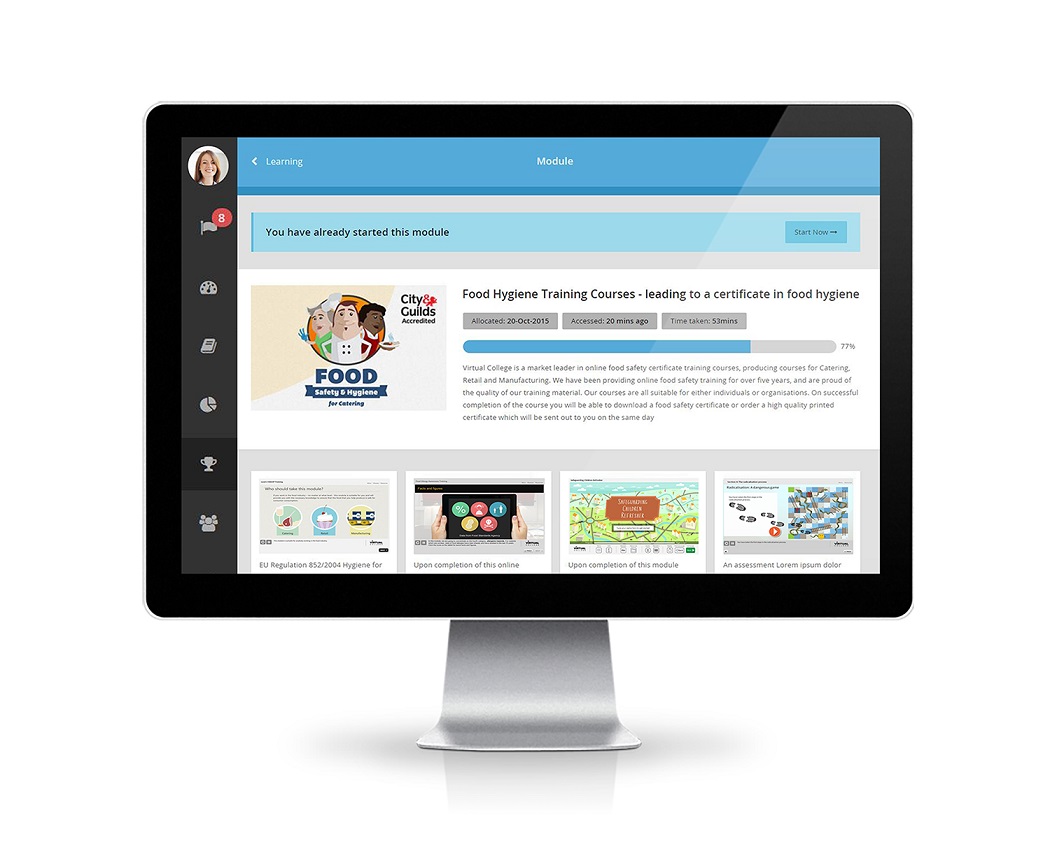
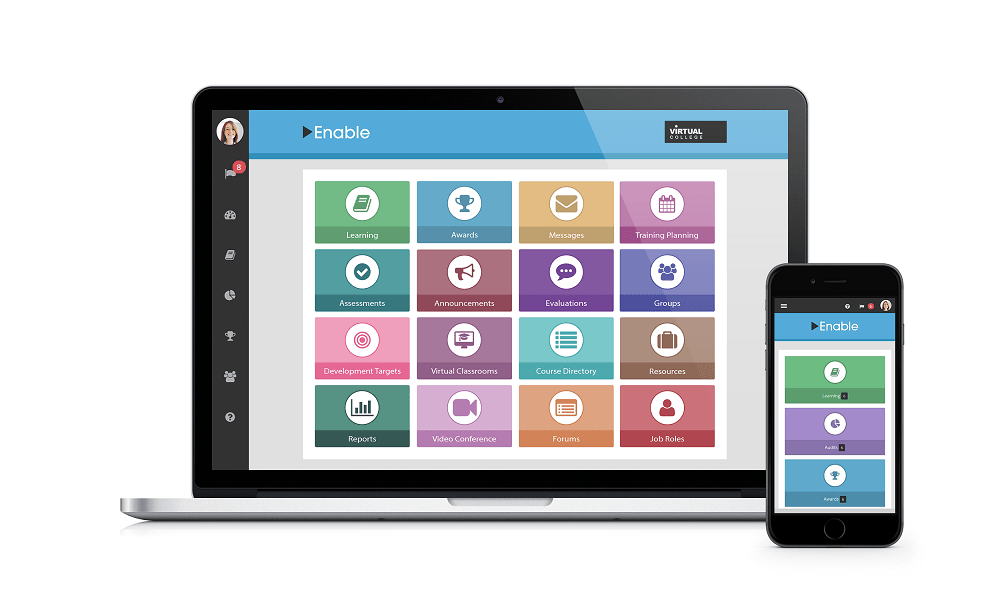
The most striking feature of Enable is its appearance, particularly in comparison to Enable v.1. It is beautifully presented, with colourful tiles providing a simple and elegant aesthetic. The simplicity of aesthetic design echoes its simplicity of use, but more on that later.

Enable’s new User Experience amounts to more than an appealing aesthetic. Virtual College has redesigned the navigation and interaction of Enable to provide an experience that is intuitive and accessible for both users and those un-sung heroes of so many organisations – the LMS administrator.
Usability
By using some simple yet extremely effective techniques, such as always situating ‘action’ buttons on the top-right of the display, using an arrow symbol to show that an area is clickable, and always displaying the menu on the left-hand side of the screen, Virtual College has made Enable very easy to use.

These features provide continuity and familiarity to a system that is diverse and vast, due to its depth of features, by providing continuity of navigation: the actions required to navigate through one area are the same actions required to continue through the next. This means that a user who can navigate one area of Enable can navigate through any other area, and a user who can use one feature of Enable can quickly learn to use the others.
Ease of navigation means that Enable is very accessible and easy to pick up for a new user. Ease of usability is a great advantage in the LMS market as so many available require extensive training and demonstration, and usability difficulties can often lead to learner disengagement, and prohibit learning taking place.
The presentation of Enable also adds to the User Experience. Screens are presented with a high level of consistency, and when paired with easy accessibility, this gives learners an effective engagement environment designed to focus learner attention on the learning. Colours and metaphors used have obviously been considered in great detail to build the overall user experience.
The design is fully mobile-enabled, again with very careful attention to navigational and presentational details. The tactile experience of tablet-based usage is very well catered for and reflected in the absolute attention to design detail as well as screen resolution and colour choice.
Learner Journey
A learner journey from login to course commencement is always an important metric to consider when looking at an LMS, as the ultimate function of an LMS is to deliver effective learning. Due to the exceptional UX, Enable has an extremely smooth learner journey with no unnecessary distractions from login to learning.
Enable uses the term “ultimate learning journey system” and this can take place when UX and robust features work perfectly together. But how do you keep the feature richness and combine it with a simple but effective user interface, whilst still providing a smooth learner journey?
Enable already has a rich set of features due to the evolved nature of version 1, and as we have seen they now have a great UX. The way they marry these two provisions is through attention to design detail: Virtual College proudly tells us that they have been listening to the feedback of over 2 million learners. There can be no doubt that listening to users has been a key part of perfecting the learner journey, and that it will be so in the development pathway going forward.
Social Learning
The commitment to the learner experience is very strong and a clear commitment to communications is built into this LMS, giving it a nice Social Learning feel as well as offering announcements and peer to peer communications. It is important to note that the administrators or tutors using the LMS retain a good level of control as to how the communications are used.
Social Learning is great and many LMSs have had some success but the dynamic and the organisational culture must be considered when unleashing the potential of Social Media within the organisation. A small criticism is forums and chat need to be improved in definition and it must become more apparent to us how they integrate with groups and courses in the overall architecture.
Groups
The Groups feature is also very striking in the new Enable LMS. Too many learning management systems have been hamstrung by roles and limited hierarchies and have had to bend and twist to meet the day to day requirements of business (which is not education). The Group feature is a game changer in how hierarchies and privileges in the LMS are created.
Groups are not new for learners. But applying the design features or groups to administrators has allowed the new Enable LMS huge flexibility to model a reporting and learner management eco-system that will reflect an organisation.
Virtual Classroom
It is good to see that a Virtual Classroom is planned to be integrated into the new Enable. We anticipate a strong growth trajectory using Virtual Classrooms in many organisations as the technology has now matured and the engagement barriers are coming down, thanks principally to Go to Meeting, Skype and FaceTime etc.
Reporting
The evolved nature of Virtual College’s Enable v.1 has been in its alignment to organisational needs such as competencies and assessments as well as huge attention to auditing and reporting.
The brand new Enable LMS has certainly built on the power of the previous iteration and added some very nice features to this, especially the Development Targets feature which covers learning and personal development allowing a form of ongoing appraisal with dynamic reporting. This is already aligned to awards, but as yet no gamification or next generation rewards. Virtual College obviously have a very comprehensive development pathway based on their customer’s requirements rather than evaluator’s comments, so we will have to wait and see what comes next.
Powerful reporting and customisation are key to getting value and aligning learning to organisational strategy and the ease that customised reports can be created is very impressive indeed. Reports can be handled in Excel (not CSV files) and can be intuitively created, shared and exported. The reports can be added to personal dashboards.
Another powerful feature is the ability to schedule reporting for automatic creation – not new in itself, but useful in that the opportunity to schedule customised reporting quickly and easily is very neat.
Course Building
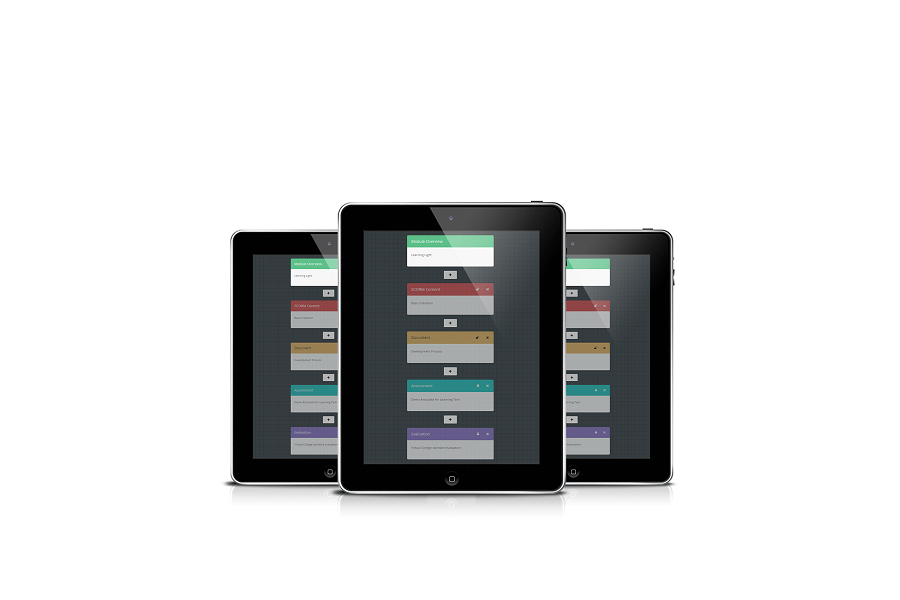
Enable comes with a fully-functioning course builder which you can use to aggregate SCORM content, documents, video, tests and certificates. This content aggregation provision is not unique to Enable, but what is unique is how easy it is to use. Here at Learning Light we have reviewed plenty of learning management systems, and what we often see is a great selection of features let down by extremely complex usability issues. However, Enable leverages the simplicity of its UX and presentation to provide an intuitive course builder.
Content can be simply pulled-in from your own computer, a website, or from a shared upload area in Enable. You are then presented with a logical structure which enables you to organise all of this content in a way that makes sense. This really is very good and so easy to use.

This content creation structure reminds me of alt+tab in Windows. The tiled approach and colour-coordination syncs nicely with the rest of the LMS and make the tool easy to use.
What we would like to see:
Integrations with HR and CRM systems as well as a commitment to xAPI would be on our development list. We mentioned gamification and rewards as well and we are sure these will come. But with the views of 2 million learners and an organisation that offers first line learner support to its users, there is no doubt that they listen very closely to what is needed and have exciting development plans.
Enable LMS Review – In summary
Virtual College has really set a new standard in learning management systems with this latest version of Enable. It is not an upgrade or re-skin, it has been a development with intense attention to detail to deliver a market leading user interface and user experience to make the learning experience as engaging and effective as possible.
Find out more about Enable.

LMS, Reviews
Below is a review of the Pathway Cloud LMS conducted by independent elearning and training consultancy, Learning Light. Here’s what their director David Patterson had to say about this highly evolved learning platform from WillowDNA:
A lot of thought has gone into the Pathway Cloud LMS from WillowDNA. This was not built to be one of the usual suspects – this is an LMS with purpose.
Given the background of WillowDNA, it should not come as a surprise that the Pathway Cloud LMS was built with the purpose of supporting learners to acquire skills and knowledge as effectively as possible.

Pathway is about learning pathways that are supported – scaffolding is the term the designers, including CEO Debbie Lawley, use to illustrate how learners are supported and directed in acquiring skills and knowledge.
Pathway is very well thought through as an LMS. It is much more than a flashy interface, this is an evolved LMS that is about learning and skills acquisition, which is quickly apparent from the outset.
Knowledge and the curation of knowledge are the driving themes of WillowDNA based on the considerable experience and expertise of the team. This is a rare LMS that gives learners control and confidence from the off and ensures a tight relevance to the organisation’s learning needs and requirements, again from the off. This is a neat trick that too many LMS fail to pull off effectively.
The learning materials that create the pathway are displayed to the learner in a simple but very informative way. Each component of the course or pathway is clearly identified and a short summary of the materials is provided and the genre of delivery is noted.
This LMS was one of the first that really recognised the power of curation for building courses. So modules are self-paced e-learning modules, pdfs, web pages, videos and other resources, such as social media platforms like Yammer.
If configured to do so, the Pathway Cloud LMS will operate as a very comprehensive learning portal, pulling through large amounts of learning materials for curation and sharing. This is a very impressive feature and certainly on-trend, and the designers must be given credit for pioneering this in the LMS industry.
The social learning interactions in Pathway are also well thought through and conceptualised as “seeding the discussion”, which can be done in three different ways in the LMS, giving real meaning to social learning.
Pathway is an ideal choice for knowledge and skills led projects, but also for high quality qualifications as is reflected in its use by professional bodies for level 7 type qualifications and performance orientated organisational learning. The Pathway LMS comes with portfolio capability and evidence based learning, essential for apprenticeships.
No review of Pathway would be complete without highlighting the expertise that comes from the WillowDNA consultancy team, as choosing an LMS is not the end of the journey – just the beginning. It is all about using the LMS to achieve results for learners and organisations that really matters.
Here Pathway and the WillowDNA e-Learning team will really excel in ensuring that using the LMS will deliver enhanced learning performance.

Highlight, LMS
The Adobe Captivate Prime LMS is designed to be easy to set up and help you to deliver engaging learning experiences in a personalised manner across desktop and mobile devices.

As you would expect from a modern learning platform, mobile accessibility is a core priority, and it is designed to enable 24/7 access to content anywhere, on any device.
Personalised learning is delivered with customised learner dashboards that offer tailored course recommendations. To boost engagement, there are gamification options, unified content playback, and video streaming functions.
As well as being fast, hosted on Amazon Cloud infrastructure, security is another priority. It is an SSO, SOC2 and GDPR compliant LMS.
The Adobe Captivate Prime LMS offers upload, playback and tracking of elearning content in a wide range of formats, including video, PPTX, PDF and DOCX files, and SCORM, AICC and xAPI compliant packages.
Adobe have focused on 4 key areas to make this one of the best LMS in the market, and these are Ease of Set-Up, User Engagement, Tracking / Reporting / Analytics, and Scalability. Here are the important LMS features and functionality under each of these headings:
Ease of Set-Up
Designed to be an easy to use LMS for both learners and administrators, the features that enable this include:
- Instructional videos for set-up and ongoing guidance, an online help centre, and 24/7 telephone support
- Expiry alerts and assignment updates for certifications to help ensure ongoing compliance
- Clear, modern UI and 1-click publishing for minimal effort in digging and clicking around
- Assign roles and content based on logical tagging and user groups
- Logical set up of course structure, combining online, hosted content with live discussions and virtual classrooms
- Automated push notifications for key announcements, dates and new compliance training across groups or to individuals
- Simple enrolment of new users within the learning management system
- Integration with 3rd party software tools, including HRS / HRMS tools.
User Engagement
- Gamification tools can be assigned to specific learners or groups to make learning fun and where relevant, drive competition to earn points , move up leaderboards and win badges
- Both offline and online training, facilitated with a mobile learning app
- Discussion boards for instructor support, peer mentoring and social learning / collaboration
- Personal learner dashboards with drag and drop widgets to display news, progress diaries and more
- Multilingual LMS support and the ability for learners to choose their preferred content formats and presentation styles
- eLearning content recommendation engine and powerful search functions
- Note-taking for exam / assessment revision.
LMS Tracking, Reporting & Analytics
- Display data on learning history and progress over time for individual learners and groups
- Export transcripts of activities, interactions and more into various formats, including text and pivot tables
- Get insights into the effectiveness of certain courses, formats and programmes, so that you can monitor their success in helping to meet business goals, then tweak / change as needed
- Reporting isolated to specific learners, groups or types
- Over 350 customisable reporting types, using the powerful report engine for summary or in-depth, detailed learner analytics.
A Scalable Learning Platform
- Customer training tools to help improve product knowledge and increase user satisfaction
- Sales enablement platform capabilities for channel partners, affiliates and distributors. Improve channel sales training throughout the supply chain
- Multi-tenancy – create a white label LMS solution that is brandable for the requirements and style of customers, groups or partners
- Integration of the LMS with Salesforce CRM, content providers such as Lynda, Adobe Connect, and many other types of 3rd party software, so that Captivate Prime integrates seamlessly with your existing technologies.
Adobe aims to give everyone, from emerging artists to global brands, everything they need to design, develop and deliver exceptional digital learning experiences.
Market House
Maidenhead
SL6 8AG
United Kingdom
Tel: +44 1628 590 000
www.adobe.com

LMS
Xyleme is a popular Learning Content Management System (LCMS) for people who are looking for innovative ways to change the way learning is created and delivered.
This well-established elearning provider has been around since 2004, and has clients across a wide range of sectors, such as manufacturing, IT and telecommunications, finance and aviation, and including Fortune 500 companies.

Their products are developed to allow L&D professionals to author, publish, distribute, and analyse their content performance as efficiently as possible.
Their two main solutions are:
- Studio – a learning content development platform, comprising authoring, collaboration and publishing tools
- CDS (Content Delivery Service) – distributing materials to students and providing detail course metrics and learner analytics.
Our research suggests that people visiting the Xyleme website seem to be looking for solutions that include:
- Learning management systems
- Content development
- Bitesized learning
- LCMS
- Content governance
- Learning measurement
- Comparison of LMS
- Learning content
The site has visibility when people are looking for both education and business training elearning and content management solutions and services.
700 17th Street Suite 1950
Denver
CO
80202
United States
Tel: (303) 872-9872
www.xyleme.com

You must be logged in to post a comment.